
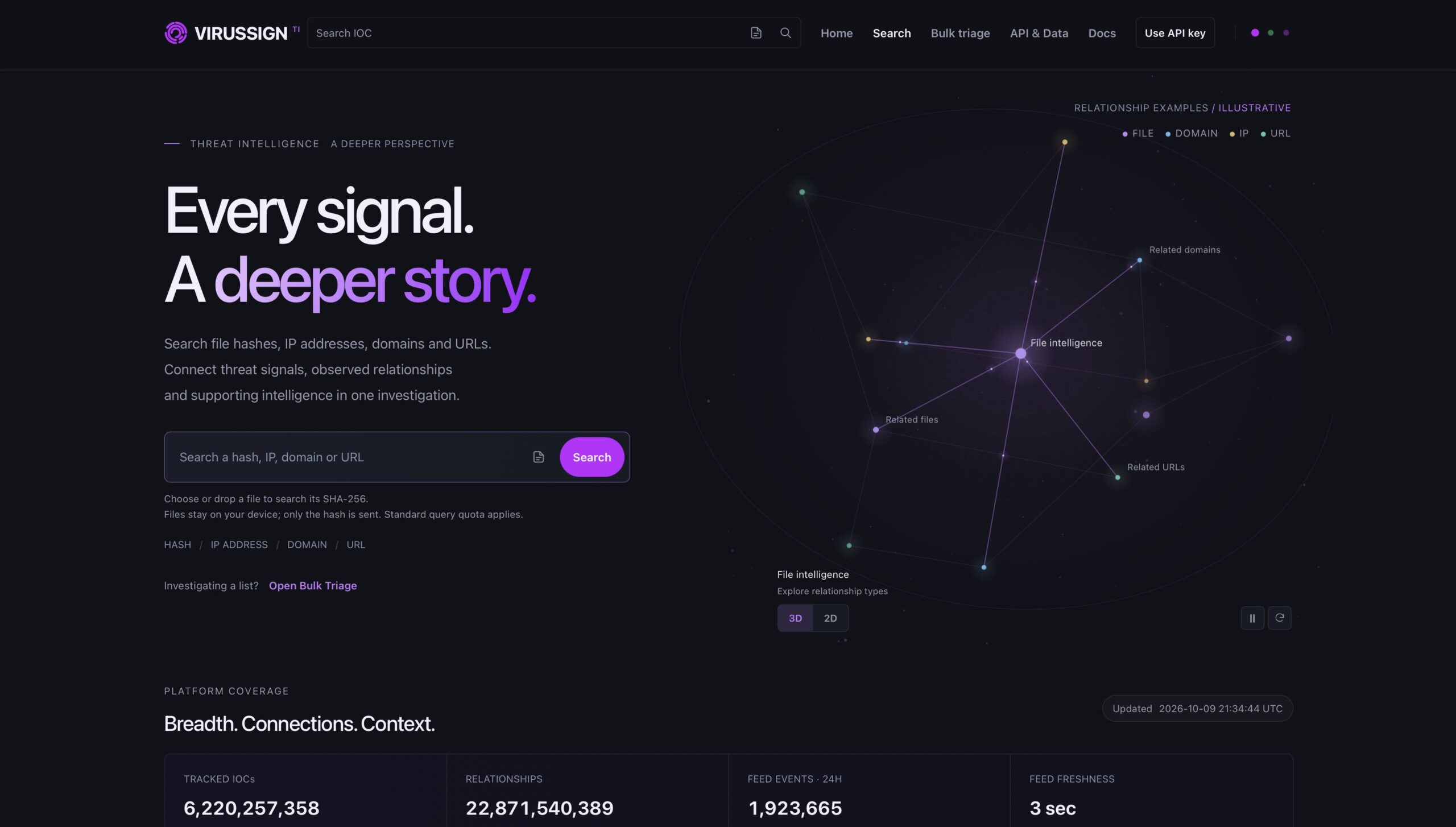
A verdict can tell you whether an indicator appears malicious. However, a useful investigation also needs to show what surrounds that indicator, when it was observed and how it connects to other evidence.
The new VirusSign Threat Intelligence platform brings these pieces together. Security teams can search file hashes, IP addresses, domains and URLs, review threat assessments and metadata, trace observed relationships and move from a single signal to a broader investigation.
VirusSign has supported malware research since 2011. Building on that foundation, the new platform expands that foundation beyond malware sample access into connected IOC intelligence, developer APIs, continuously updated feeds and historical data services.
Explore VirusSign Threat Intelligence
One search across four indicator types
Threat investigations rarely stay within one type of indicator. A suspicious file may contact a domain, resolve through an IP address or arrive through a URL. Looking at each object in isolation makes it harder to reconstruct the surrounding activity.
VirusSign provides a single investigation experience across:
- Files: MD5, SHA-1 and SHA-256 lookup, malware classifications, file metadata, names, tags and observation history
- Domains: threat assessments, infrastructure context, tags, observations and connected indicators
- IP addresses: hosting and reputation context, geographic information, observations and related infrastructure
- URLs: web indicators, host and path context, classifications and connections to files and infrastructure
As a result, this shared model helps analysts move between indicators without switching tools or rebuilding the investigation manually.
Follow relationships, not just verdicts
The central idea behind VirusSign Threat Intelligence is simple: the verdict is a beginning; the evidence tells the story.
An individual result can answer an immediate reputation question. For example, relationships help answer the next questions:
- Which domains and URLs are connected to this file?
- Which files have been observed with this domain or IP address?
- Does the same infrastructure appear elsewhere in the dataset?
- What other indicators should be reviewed, blocked or monitored?
VirusSign exposes relationships among files, domains, IP addresses and URLs. Analysts can pivot through related objects, review the available context and continue exploring the evidence around an initial signal. In addition, the API paginates larger relationship result sets for reliable processing.
This approach is useful for threat hunting, incident response, malware research, alert enrichment and infrastructure mapping. It turns an IOC lookup into a path for discovery.
Add historical context to an IOC
Threat data becomes more useful when analysts can understand its history. VirusSign records available first-seen and last-seen observations alongside classification, confidence, severity, family information, detections, tags and type-specific metadata.
Historical context can help teams distinguish a recently observed signal from long-running infrastructure, revisit indicators seen in an earlier incident and identify connections that are difficult to recognize from a current verdict alone.
The platform presents only the fields available for each indicator and access level. Therefore, VirusSign does not treat a missing record or optional field as proof that an indicator is safe. This makes the data easier to use responsibly in investigation and automation.
Broad coverage grounded in malware data
VirusSign began with malware collection and continues to maintain a substantial malware data foundation. The intelligence platform extends that foundation across billions of file, domain, IP and URL records, with live coverage figures available on the platform.
This combination gives VirusSign a practical advantage for investigations that begin with a file and expand into delivery infrastructure, related web indicators and historical observations. It also connects threat intelligence with malware research and sample access when a project requires deeper analysis.
Rather than separating malware datasets, IOC metadata and indicator relationships into unrelated products, VirusSign provides a path from search and triage to API integration, feeds, historical datasets and malware samples.
Search interactively or triage a list
The web portal supports direct IOC search for quick investigations. When users select a file, the browser calculates its SHA-256 locally and sends only the hash for lookup. As a result, the file remains on the user’s device.
For a list of indicators, Bulk Triage provides a faster way to review results without opening each IOC individually. Analysts can begin with a broad set, identify records that need attention and then move into the full intelligence view for deeper investigation.
Search an IOC or open Bulk Triage.
Integrate threat intelligence into security workflows
The VirusSign Threat Intelligence API brings the same indicator model into security products and operational workflows. It supports file, URL, domain and IP lookups, available classifications and context, relationship queries and cursor-based pagination.
Common integration paths include:
- Enriching SIEM, SOAR, EDR and case-management records
- Adding context to internal malware-analysis pipelines
- Checking indicators during incident response or threat hunting
- Building investigation tools for analysts and researchers
- Enriching security products with IOC metadata and relationships
The public documentation includes cURL and Python examples, authentication guidance, response fields, pagination behavior, quota handling and an OpenAPI 3.1 specification for compatible API clients and development tools.
Read the VirusSign Threat Intelligence API documentation.
Keep local intelligence current with feeds
Threat intelligence changes. New indicators appear, context is added, assessments change and records may need to be revoked. A useful feed should communicate those changes instead of delivering an undifferentiated list repeatedly.
VirusSign feed events support additions, updates and revocations. Consumers can request a defined time window or continue from a saved cursor, process events idempotently and keep a local intelligence store aligned over time.
Moreover, approved access plans provide feed data in native JSON and STIX 2.1. Snapshot mode provides current applicable entries for a selected window, while event mode preserves the change history needed for ongoing synchronization.
For example, anyone can review the public daily feed sample without an API key before planning an integration.
Explore the VirusSign feed sample.
What makes VirusSign different?
VirusSign connects malware data with operational threat intelligence. Its value comes from combining several capabilities in one data model:
- Four connected IOC types. Analysts can investigate files, domains, IP addresses and URLs together.
- Relationship-driven exploration. Analysts can move beyond a standalone reputation result and follow observed connections.
- Historical and supporting context. Observation times, classifications, tags and available metadata help explain why an indicator matters.
- Research and production access. The same intelligence foundation supports interactive search, bulk triage, APIs, feeds, historical datasets and malware sample access.
- Change-aware feeds. Additions, updates and revocations help consumers maintain a current local dataset.
- Open integration formats. Native JSON, STIX 2.1 and OpenAPI documentation reduce the work required to evaluate and integrate the service.
- Privacy-conscious file lookup. Browser-based file searches calculate the hash locally rather than uploading the selected file.
These capabilities make the platform useful to SOC analysts, incident responders, threat hunters, malware researchers, academic teams and security vendors. Each group can start with the access method that fits its workflow and expand when it needs more context or scale.
From a single signal to a deeper story
VirusSign Threat Intelligence is built to help teams answer more than “Is this indicator malicious?†It helps them investigate what the indicator is connected to, understand the available history and carry that context into detection, triage and response.
Finally, start with an IOC in the web portal, evaluate the daily feed sample or review the API documentation. Organizations that need API access, feeds, historical intelligence, bulk data or malware samples can request an evaluation tailored to their use case and data scope.
Explore the intelligence platform or request API and data access.
Frequently asked questions
What indicators can I search in VirusSign?
VirusSign supports file hashes, IP addresses, domains and complete URLs. Available results can include threat assessments, metadata, observation history and related indicators.
Does VirusSign upload a file when I search it?
No. When a file is selected in the web portal, its SHA-256 hash is calculated locally in the browser. The file stays on the device, and only the hash is sent for lookup.
Can VirusSign Threat Intelligence be integrated through an API?
Yes. VirusSign provides API access for IOC lookups and relationship queries, with documented authentication, pagination and response fields. Access permissions and quotas depend on the approved plan.
Does VirusSign provide threat intelligence feeds?
Yes. Approved feed access supports additions, updates and revocations, cursor-based continuation, native JSON and STIX 2.1 output. A daily feed sample can be reviewed without an API key.
Can organizations request historical data or malware samples?
Yes. Historical IOC data, classifications, bulk data delivery and malware sample access are available by agreement, with scope and licensing based on the intended use.